TrickyDroneDelivery: 랜덤 레벨 생성-GameMode, GameState
이전엔 레벨마다 스폰될 적들을 만들었다. 이번엔 게임의 규칙과 레벨의 생성을 구현해보자.
랜덤 건물 배치
건물은 당장은 플로우 검증 정도만 하고 싶어서 다양한 건물의 배치보단 간단한 건물배치를 이용한 맵을 구현해보도록 하겠다. 방식의 유효성, 플레이 가능성의 판단이 우선이니 일단은 정사각형 그리드로 건물이 배치될 수 있는지를 구현해볼 것이다. 간단하게 기존에 테스트용을 대체할 주택 건물 2개를 큐브를 배치해 만들고, 배달 도착지점까지 포함시켜 미리 블루프린트상에 배치해놓았다.
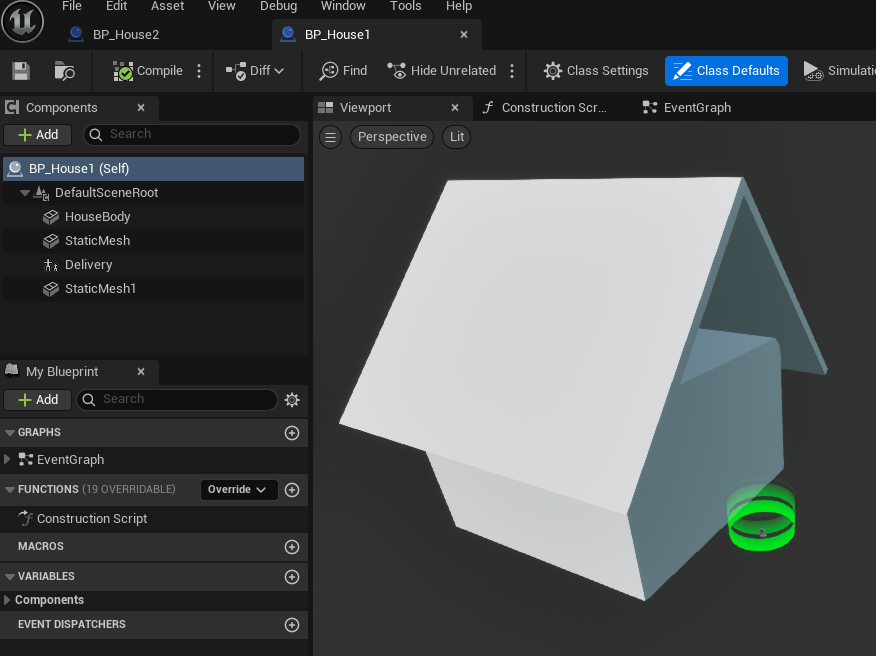
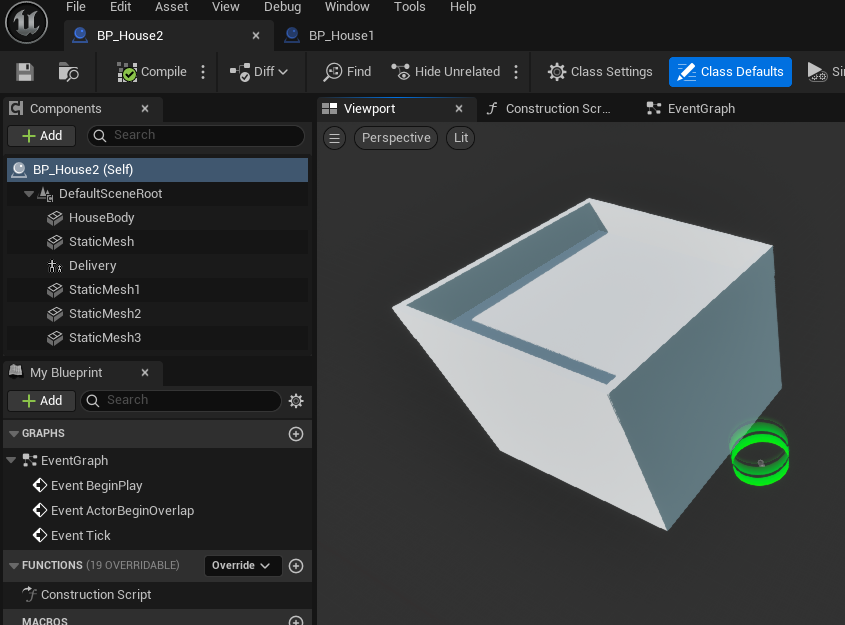
이제 이 건물들을 배치할 수 있는 로직을 만들어보자. GameMode에서는 등록되어있는 배치용 건물 블루프린트를 정해진 구역 안에서 GridSize마다 배치하여 마을을 랜덤으로 형성한다. 도착지점이 항상 활성화되어 있으면 가까운 곳에 모두 배달하여 재미 없으니, 스폰과 동시에 모든 배달지점은 비활성화시키고, 택배상자의 픽업과 배달/파괴시 호출될 수 있는 EnableDelivery()/DisableDelivery()를 만들었다.
1
2
3
4
5
6
7
8
9
10
11
12
13
14
15
16
17
18
19
20
21
22
23
24
25
26
27
28
29
30
31
32
33
34
35
36
37
38
39
40
41
42
43
44
45
//TDDGameMode.h

#pragma once

#include "CoreMinimal.h"
#include "GameFramework/GameMode.h"
#include "TDDGameMode.generated.h"

class ADeliveryZone;

UCLASS()
class TRICKYDRONEDELIVERY_API ATDDGameMode : public AGameMode
{
	GENERATED_BODY()
public:


	UPROPERTY(EditAnywhere, BlueprintReadWrite, Category = TTDGameState)
	TArray<TSubclassOf<AActor>> Enemies;
	UPROPERTY(EditAnywhere, BlueprintReadWrite, Category = TTDGameState)
	TArray<TSubclassOf<AActor>> DeliveryPackages;
	UPROPERTY(EditAnywhere, BlueprintReadWrite, Category = TTDGameState)
	TArray<TSubclassOf<AActor>> BuildingPrefabs;

	UPROPERTY(EditAnywhere, BlueprintReadWrite, Category = TTDGameState)
	float MaxWidth;
	UPROPERTY(EditAnywhere, BlueprintReadWrite, Category = TTDGameState)
	float MaxHeight;
	UPROPERTY(EditAnywhere, BlueprintReadWrite, Category = TTDGameState)
	float GridSize;

	UFUNCTION()
	void EnableDelivery();
  UFUNCTION()
	void DisableDelivery(AActor* DestroyedActor);
protected:
	virtual void StartPlay() override;

	void CreateTown();

	int32 RemainingBoxes;
	int32 Difficulty;
	TArray<AActor*> DeliveryZones;
	int32 EnabledZone;
};
1
2
3
4
5
6
7
8
9
10
11
12
13
14
15
16
17
18
19
20
21
22
23
24
25
26
27
28
29
30
31
32
33
34
35
36
37
38
39
40
41
42
43
44
45
46
47
48
49
50
51
52
53
54
55
56
57
58
//TDDGameMode.cpp


#include "TDDGameMode.h"
#include "Kismet/GameplayStatics.h"
#include "DeliveryZone.h"

void ATDDGameMode::StartPlay()
{
	Super::StartPlay();
	CreateTown();
	UGameplayStatics::GetAllActorsOfClass(GetWorld(), ADeliveryZone::StaticClass(), DeliveryZones);
	UE_LOG(LogTemp, Warning, TEXT("Found EventZones: %d"), DeliveryZones.Num());
	for (AActor* Zone : DeliveryZones) {
		Zone->SetActorHiddenInGame(true);
	}
	EnabledZone = -1;
}

void ATDDGameMode::CreateTown()
{
	UE_LOG(LogTemp, Warning, TEXT("Creating Town"));
	int WidthIndex = MaxWidth / GridSize;
	int HeightIndex = MaxHeight / GridSize;
	for (int i = -WidthIndex; i <= WidthIndex; i++) {
		for (int j = -HeightIndex; j <= HeightIndex; j++) {
			if (i == 0 || j == 0) {
				continue;
			}

			if (BuildingPrefabs.IsEmpty()) {
				UE_LOG(LogTemp, Warning, TEXT("No Building Prefabs! Spawning sphere instead!"));
				DrawDebugSphere(GetWorld(), FVector(i * GridSize, j * GridSize, 0), GridSize / 2, 32, FColor::Green, false, 30);
			}
			else {
				UE_LOG(LogTemp, Warning, TEXT("Spawning Building Prefabs!"));
				FActorSpawnParameters SpawnParams;
				SpawnParams.Owner = this;
				AActor* EventZone = GetWorld()->SpawnActor<AActor>(BuildingPrefabs[FMath::RandRange(0, BuildingPrefabs.Num() - 1)], FVector(i * GridSize, j * GridSize, 0), FRotator::ZeroRotator, SpawnParams);
			}

		}
	}
}

void ATDDGameMode::EnableDelivery() {
	UE_LOG(LogTemp, Warning, TEXT("Delivery zone enabled!"));
	EnabledZone = FMath::RandRange(0, DeliveryZones.Num() - 1);
	DeliveryZones[EnabledZone]->SetActorHiddenInGame(false);
}

void ATDDGameMode::DisableDelivery(AActor* DestroyedActor) {
	UE_LOG(LogTemp, Warning, TEXT("Delivery zone disabled!"));
	if (EnabledZone >= 0) {
		DeliveryZones[EnabledZone]->SetActorHiddenInGame(true);
	}
	EnabledZone = -1;
}
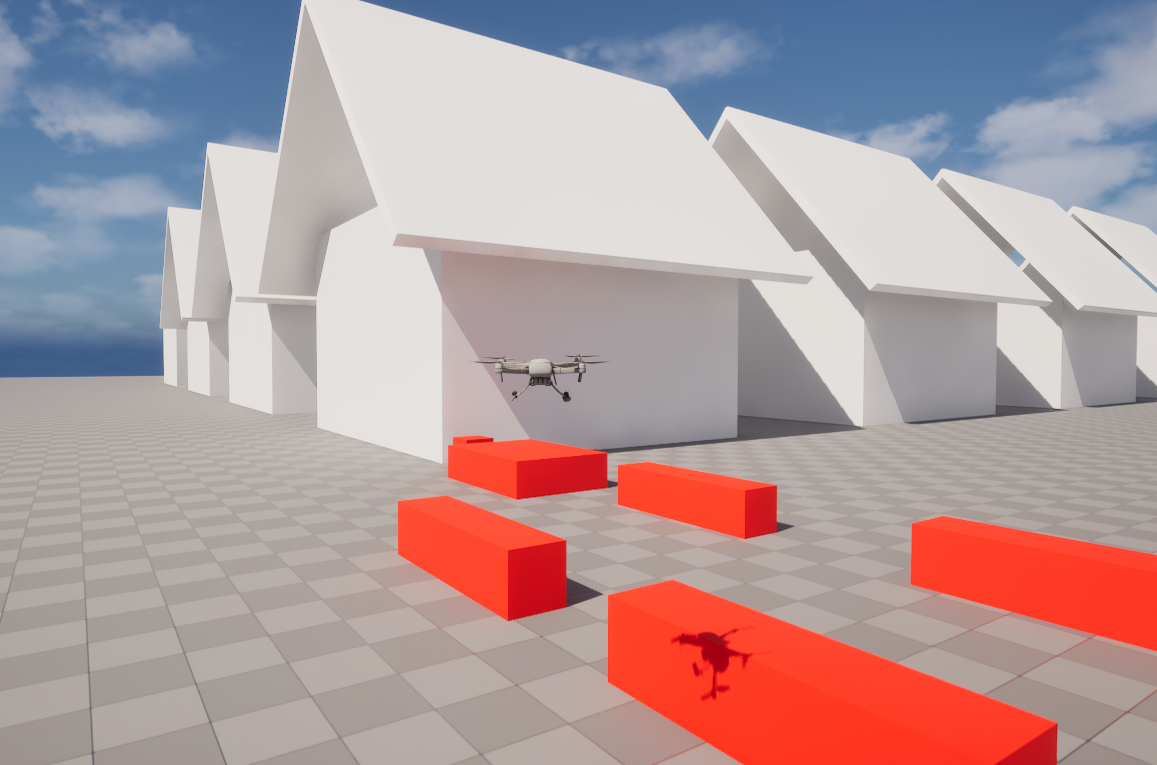
생성 후에 레벨의 게임모드로 설정하고, 게임모드에 집들을 등록한 후에 실행해보면 잘 작동함을 확인할 수 있다. 피격으로 상자가 파괴되거나, 배달지점에 도착해 상자가 사라지면 OnDestroyed()에 바인드된 DisableDelivery()에 의해 배달지점이 다시 비활성화된다.
랜덤 적 배치, 난이도 설정
이제 전에 만들어두었던 적들도 배치를 할 수 있도록 해야겠다. 3개의 스테이지로 구성하고, 1레벨엔 적 없이 가장 작은 상자만, 2레벨엔 중간 상자까지, 3레벨엔 가장 큰 상자까지 배치할 것이다. 적들도 1레벨엔 아무것도 안뜨다가 2레벨에선 4명의 물총꼬마를, 3레벨에선 4마리의 까마귀까지 추가로 생성할 것이다. GameMode클래스에서 구현해보자.
1
2
3
4
5
6
7
8
9
10
11
12
13
14
15
16
17
18
19
20
21
//TDDGameMode.h

#pragma once

#include "CoreMinimal.h"
#include "GameFramework/GameMode.h"
#include "TDDGameMode.generated.h"

class ADeliveryZone;

UCLASS()
class TRICKYDRONEDELIVERY_API ATDDGameMode : public AGameMode
{
	GENERATED_BODY()
public:
//...
	UPROPERTY(EditAnywhere, BlueprintReadWrite, Category = TTDGameState)
	int32 Difficulty;
//...
};
1
2
3
4
5
6
7
8
9
10
11
12
13
14
15
16
17
18
19
20
21
22
23
24
25
26
27
28
29
30
31
32
33
34
35
36
37
38
39
40
41
42
43
44
45
//TDDGameMode.cpp
void ATDDGameMode::CreateTown()
{
	UE_LOG(LogTemp, Warning, TEXT("Creating Town"));
	int WidthIndex = MaxWidth / GridSize;
	int HeightIndex = MaxHeight / GridSize;
	TMap<FVector2D, int32> EnemyCoordinate;
	for (int i = 1; i < Difficulty; i++) {
		for (int j = 0; j < 4; j++) {
			FVector2D NewPoint = FVector2D(FMath::RandRange(-WidthIndex, WidthIndex), FMath::RandRange(-HeightIndex, HeightIndex));
			while (EnemyCoordinate.Contains(NewPoint) || NewPoint == FVector2D::ZeroVector) {
				NewPoint = FVector2D(FMath::RandRange(-WidthIndex, WidthIndex), FMath::RandRange(-HeightIndex, HeightIndex));
			}
			EnemyCoordinate.Add(NewPoint, i - 1);
		}
	}
	for (int i = -WidthIndex; i <= WidthIndex; i++) {
		for (int j = -HeightIndex; j <= HeightIndex; j++) {
			//Spawn enemy
			if (EnemyCoordinate.Contains(FVector2D(i, j))) {
				FActorSpawnParameters SpawnParams;
				SpawnParams.Owner = this;
				GetWorld()->SpawnActor<AActor>(Enemies[EnemyCoordinate[FVector2D(i, j)]], FVector(i * GridSize, j * GridSize, (EnemyCoordinate[FVector2D(i, j)] == 1) ? 1500 : 0), FRotator::ZeroRotator, SpawnParams);
				continue;
			}
			//Spawn house
			else {
				if (i == 0 || j == 0) {
					continue;
				}

				if (BuildingPrefabs.IsEmpty()) {
					//UE_LOG(LogTemp, Warning, TEXT("No Building Prefabs! Spawning sphere instead!"));
					DrawDebugSphere(GetWorld(), FVector(i * GridSize, j * GridSize, 0), GridSize / 2, 32, FColor::Green, false, 30);
				}
				else {
					//UE_LOG(LogTemp, Warning, TEXT("Spawning Building Prefabs!"));
					FActorSpawnParameters SpawnParams;
					SpawnParams.Owner = this;
					AActor* EventZone = GetWorld()->SpawnActor<AActor>(BuildingPrefabs[FMath::RandRange(0, BuildingPrefabs.Num() - 1)], FVector(i * GridSize, j * GridSize, 0), FRotator::ZeroRotator, SpawnParams);
				}
			}
		}
	}
}
임시로 난이도를 넣어주기 위해 Difficulty 변수에도 UPROPERTY()를 붙여줬다. 난이도 값에 따라 TMap<FVector2D, int32>에 스폰할 적들을 좌표, 적 목록의 인덱스와 함께 저장한다. 마을을 만들기 위한 배치단계에선 건물을 생성하기 전에 적을 스폰할 위치인지 확인하고 맞으면 건물 대신 스폰한다. 까마귀 클래스에 해당하는 인덱스는 스폰시 Z값을 위로 조정해주도록 임시로 만들어주었다. 적 클래스 자체에 스폰할 위치값을 들고 있고 스폰시 그 값을 참조할 수 있도록 하는게 더 좋은 구조이긴 할 것이다. 지금 상태로는 난이도에 따른 스폰까진 잘 되지만 적들이 움직이질 않는다. Pawn에 기반하는 클래스들은 컨트롤러가 Possess해야 움직일 수 있다. 아닐 경우엔 InputVector를 입력하더라도 무시되어 움직임 자체가 적용되지 않는다. 직접 레벨에 배치하면 자동적으로 AIController에 할당되지만, 지금은 GameMode에서 스폰하는 과정에서 AIController의 할당이 빠지는 것 같다. 때문에 스폰시 Pawn이면 임의의 AIController를 생성해 할당해주는 코드까지 넣어주면 잘 작동하는 모습을 볼 수 있다.
1
2
3
4
5
if (APawn* Pawn = Cast<APawn>(SpawnedActor))
{
				AAIController* AIController = GetWorld()->SpawnActor<AAIController>();
				AIController->Possess(Pawn);
}
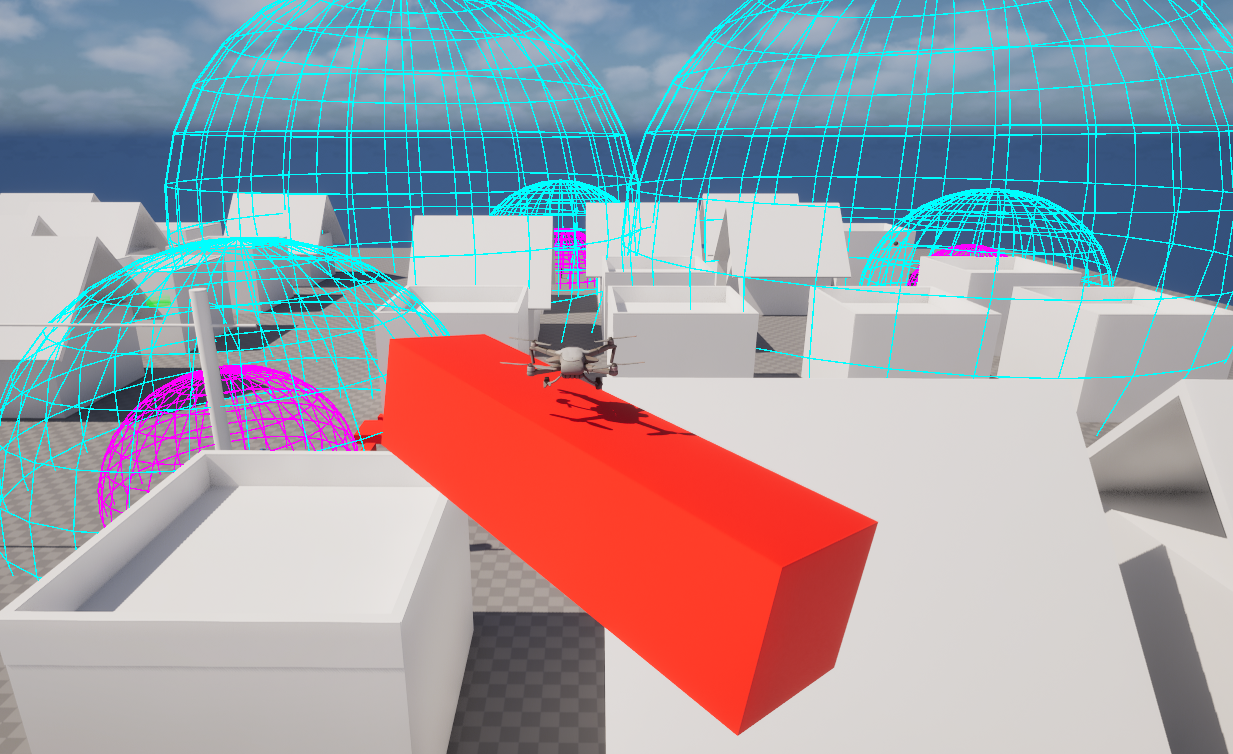
이제 랜덤하게 배달할 상자도 중앙에 스폰해보자. 상자의 크기는 작은 상자, 중간상자, 큰상자 3종류로 해놓았다. 3개의 레벨에서 진행에 따라 1종류씩 추가되어 랜덤하게 스폰되도록 만들어보자. 갯수도 레벨이 증가할 때마다 2개씩 증가해 더 많이 배달할 수 있으면 좋겠다.
1
2
3
4
5
6
7
//TDDGameMode.cpp
//Spawn packages
for (int i = 0; i < 4 + Difficulty * 2; i++)
{
	FVector SpawnLocation = FVector(FMath::FRandRange(-GridSize/4, GridSize/4),FMath::FRandRange(-GridSize/4, GridSize/4),100.f + (i * 10.f));
	GetWorld()->SpawnActor<AActor>(DeliveryPackages[FMath::RandRange(0, Difficulty  - 1)], SpawnLocation, FRotator::ZeroRotator);
}
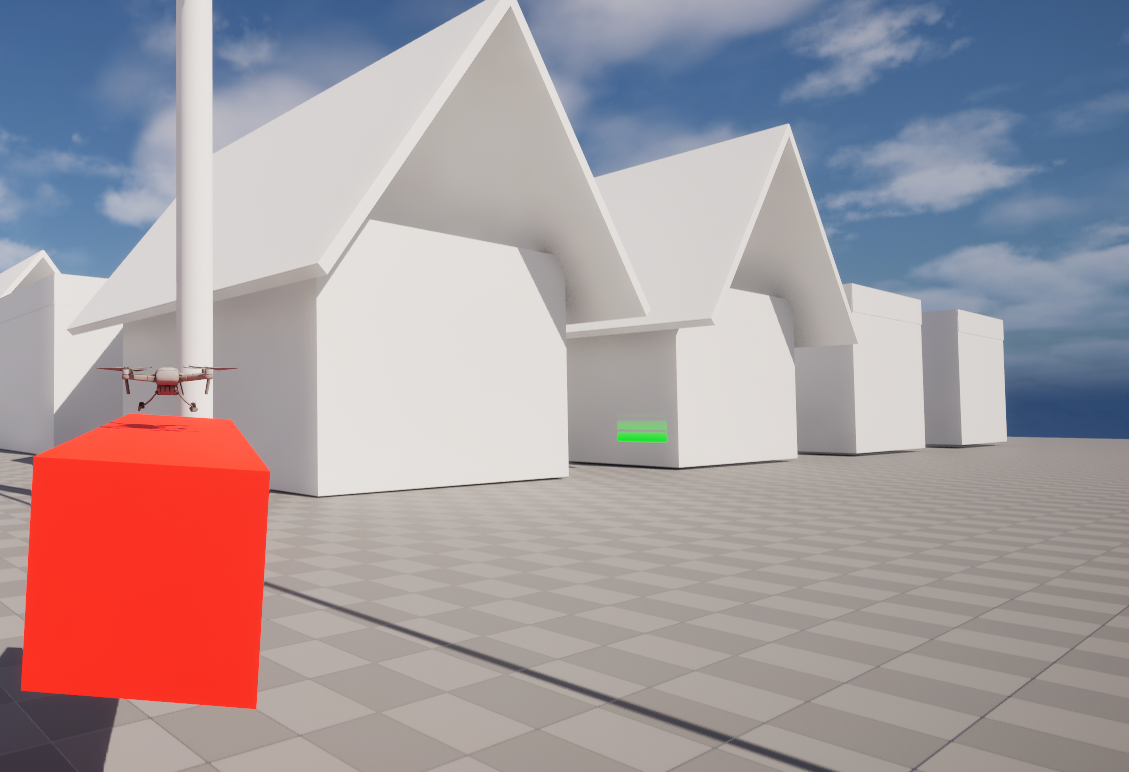
CreateTown 마지막 부분에 상자를 스폰하는 코드를 추가해줬다. Simulate Physics가 켜져 있기 때문에 적당한 간격을 두고 상자를 배치해주면 자연스럽게 떨어지면서 쌓이게 된다. 레벨 2를 기준으론 아래 사진처럼 랜덤하게 배치되게 된다. 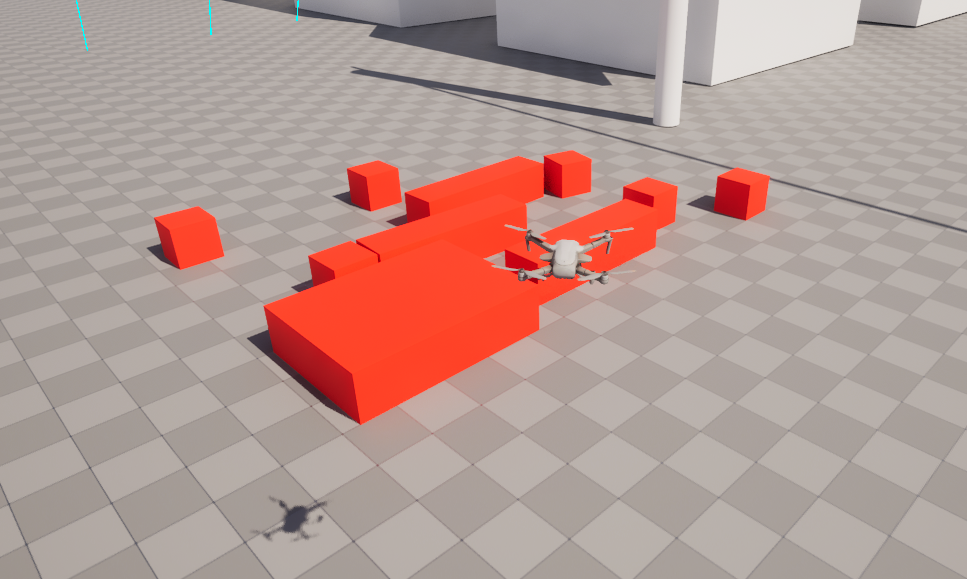
게임 클리어/오버 판정
이제 게임오버/ 게임 클리어 로직을 만들어보자. 상자를 모두 배달해 남은 상자가 없다면 레벨 클리어로 처리하고자 한다. 방금 추가한 상자 생성 로직에서 갯수를 카운팅하도록 하고, 상자가 배달될 때마다 하나씩 감소하고 클리어 조건을 체크하도록 만들어보자.
1
2
3
4
5
6
7
8
9
//TDDGameMode.cpp
void ATDDGameMode::DecrementPackageCount(AActor* DestroyedActor)
{
	PackageCount--;
	UE_LOG(LogTemp, Warning, TEXT("package destroyed! remaining package - %d"), PackageCount);
	if (PackageCount <= 0) {
		UE_LOG(LogTemp, Warning, TEXT("Level Cleared!"));
	}
}
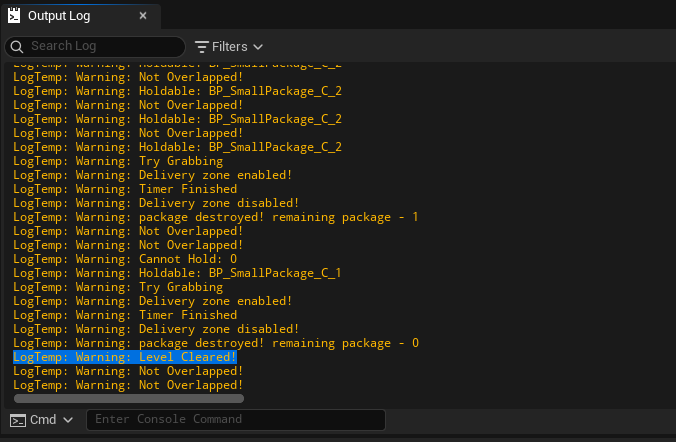
상자 파괴에 DisalbeDelivery()처럼 바인드 될 수 있는 다른 함수인 DecrementPackageCount()를 UFUNCTION()으로 선언했다. 매 상자 파괴시 상자의 카운트가 하나씩 줄어들며 하나도 남지 않으면 클리어로 처리할 것이다. 한편 클리어가 있으면 패배 판정도 있어야 한다. 3개의 상자를 배달이 아닌 충돌/적에 의해 파괴되면, 그리고 정해진 배달시간이 다 지나면 패배하도록 만들어보자.
1
2
3
4
5
6
7
8
9
10
11
12
13
14
15
16
17
18
19
20
21
22
23
24
25
26
27
28
29
30
//TDDGameState.h

#pragma once

#include "CoreMinimal.h"
#include "GameFramework/GameState.h"
#include "TDDGameState.generated.h"

DECLARE_DYNAMIC_MULTICAST_DELEGATE_OneParam(FOnTimeChange, float, DeliveryTimer);

UCLASS()
class TRICKYDRONEDELIVERY_API ATDDGameState : public AGameState
{
	GENERATED_BODY()
public:
	ATDDGameState();
	virtual void BeginPlay() override;

	UPROPERTY(EditAnywhere, BlueprintReadWrite, Category = TTDGameState)
	int32 MaxBrokenBoxes;
	UPROPERTY(EditAnywhere, BlueprintReadWrite, Category = TTDGameState)
	int32 LevelTime;

	int32 CurrentBrokenBoxes;
	FTimerHandle DeliveryTimer;
	FOnTimeChange OnTimeChange;

	void EndTimer();
	void BreakBox();
};
1
2
3
4
5
6
7
8
9
10
11
12
13
14
15
16
17
18
19
20
21
22
23
24
25
26
27
28
//TDDGameState.cpp

#include "TDDGameState.h"

ATDDGameState::ATDDGameState()
{

}

void ATDDGameState::BeginPlay()
{
	GetWorld()->GetTimerManager().SetTimer(DeliveryTimer, this, &ATDDGameState::EndTimer, LevelTime, false);
	CurrentBrokenBoxes = 0;
}

void ATDDGameState::EndTimer()
{
	UE_LOG(LogTemp, Warning, TEXT("TimerEnded"));
}

void ATDDGameState::BreakBox()
{
	CurrentBrokenBoxes++;
	UE_LOG(LogTemp, Warning, TEXT("BoxBroken! Count: %d"), CurrentBrokenBoxes);
	if (CurrentBrokenBoxes >= MaxBrokenBoxes) {
		UE_LOG(LogTemp, Warning, TEXT("GameOver!"));
	}
}
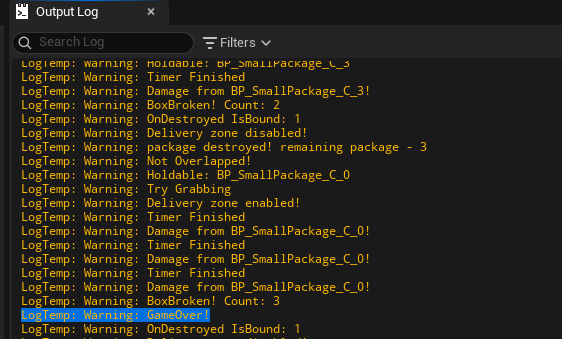
FTimerHandle을 이용해 시간의 흐름을 체크한다. 시간이 다 되면 EndTimer()를 호출하며, 이는 추후 델리게이트를 통해 만들 게임오버 UI와 연결될 것이다. 박스가 부서질 때 호출되도록 BreakBox()함수를 만들었다. 부서질 때의 조건에 따라 호출될지 여부가 달라야하기에 OnDestroyed()에 바인딩되도록 하진 않고 대신 Holdable 액터의 TakeDamage()에서 직접 호출하도록 만들었다. 컴파일 후 실행해보면 로그로 잘 출력됨을 알 수 있다. UI만 추가하면 어렴풋이는 플레이 가능한 게임이 될 것 같다.
이번의 경험: Pawn의 Possess 문제
원래는 Behavior Tree의 사용을 상정하고 처음에 Pawn, Character로 적들을 구현했는데, 상태가 2-3개정도로 매우 간단하다보니 오히려 BT를 사용하면 오버엔지니어링같은 상황이 될 것 같아 만들던 도중 선회했다. 다만 AIController 없이는 완전히 입력에 반응하지 않는 지는 몰랐는데, 이걸 추적하는데 꽤나 걸렸던 것 같다. 액터로 구현했으면 깔끔했을 수도 있지만 이동과 충돌의 구현이 더 복잡해졌을 것 같고, 더 깔끔한 구조가 있었을지 생각해보는 시간이였다.